

Customising Podcast Content
In EnaCast, podcasts are recorded and published automatically based on the information entered in the programme profile: name, description, schedule and duration.
However, once a podcast has been generated, the user has the option to customise it in order to optimise its public presentation and improve its visibility in the website’s internal search engine. The available customisation options include:
- Adding a custom description
- Assigning a custom image to the episode
- Replacing the audio of a podcast
In this section of the manual, we explain how to access these features and how to use them step by step to adapt the content to your editorial and branding needs.
How to Customise Podcast Content
Section titled “How to Customise Podcast Content”Access the Podcasts section from the administration panel. There you will see the list of recorded episodes, as shown in the following image:

Each row represents a podcast with its key data. Click on the podcast’s identifier number (PK) and the podcast’s profile with its data will open automatically. In this profile, modify the information according to your needs and click the save button.
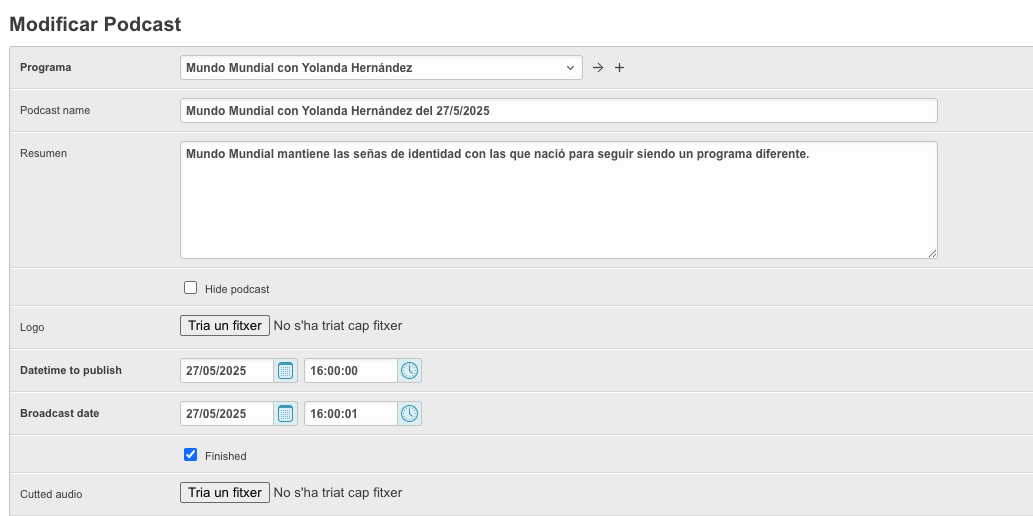
The podcast will be available on the website with the updated information automatically.