

YouTube Videos
Inserting a YouTube Video in a News Article
Section titled “Inserting a YouTube Video in a News Article”EnaCast allows you to insert YouTube videos inside the body of a news article using a shortcode. This lets you enrich informational content with external audiovisual material.
Locate the Video ID
Section titled “Locate the Video ID”When you watch a video on YouTube, its URL has a format like the following: https://www.youtube.com/watch?v=ApNQX6fVWQ4

The video ID is the part that appears after v= In this case, the ID is: ApNQX6fVWQ4
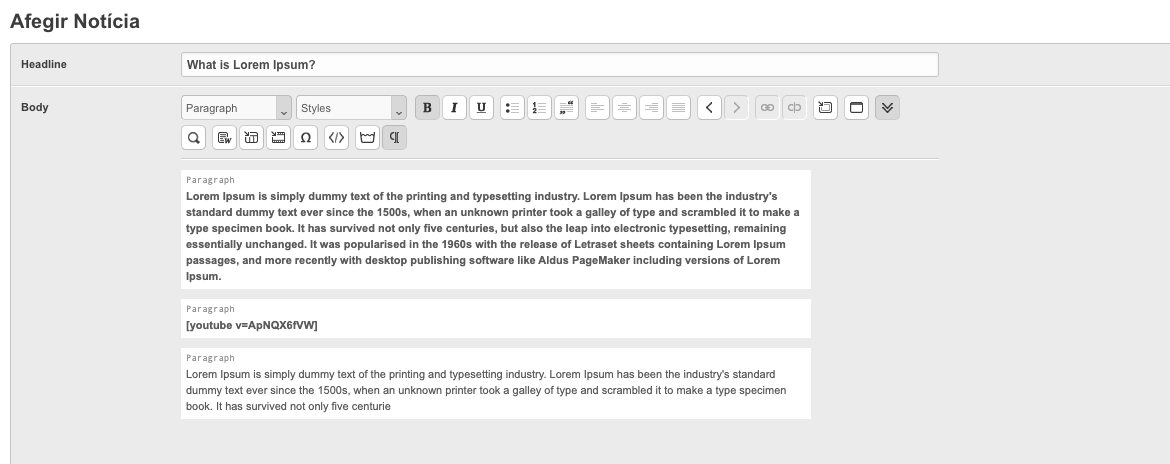
Write the Shortcode in the News Article Body
Section titled “Write the Shortcode in the News Article Body”To insert the video in the news article, simply write the following shortcode in the news editor, at the exact location where you want the video to appear, with the video ID:
[youtube v=ApNQX6fVWQ4]
Save or Publish the News Article
Section titled “Save or Publish the News Article”Once the shortcode has been added, save or publish the news article as you normally would. The system will automatically display the video player within the body of the news article.
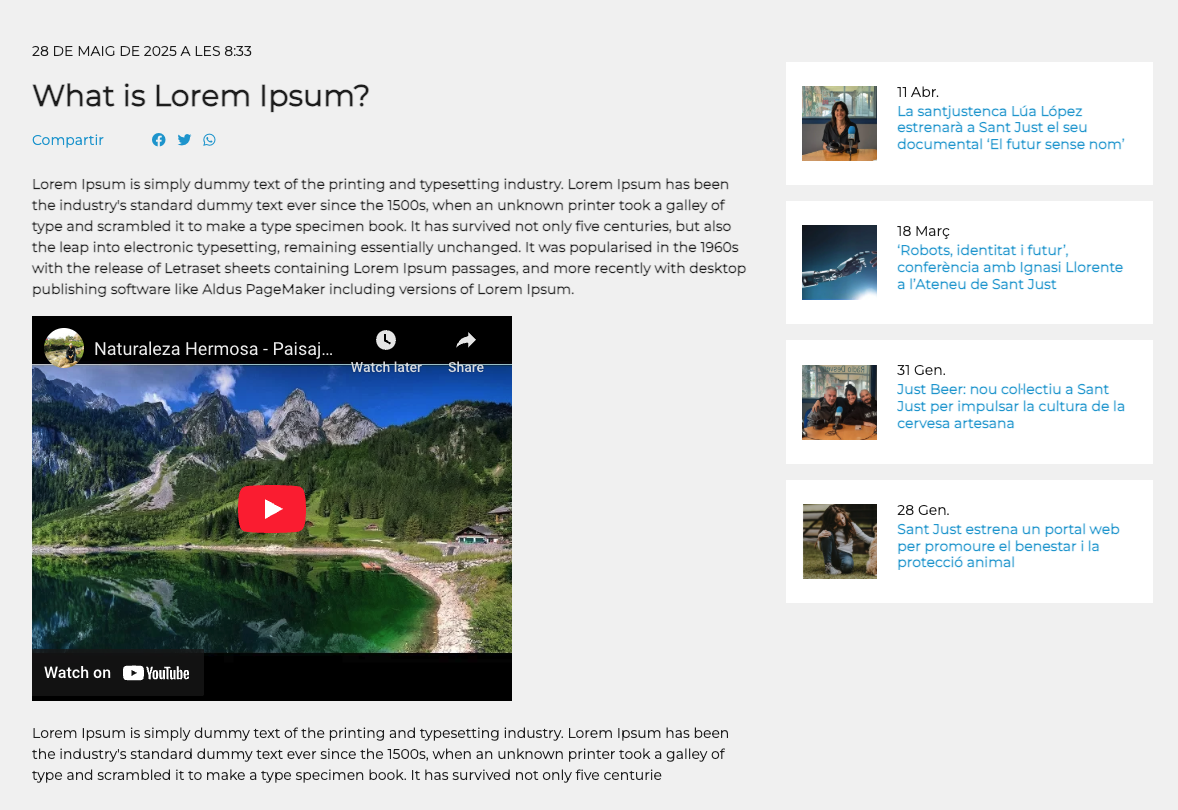
ℹ️ You can insert multiple videos in the same news article by repeating the process with different
IDs.⚠️ Make sure the ID is correct: if there is an error, the video will not be displayed.