

Posts from X (Twitter)
Insert a Post from X into a News Article
Section titled “Insert a Post from X into a News Article”EnaCast lets you show a post from X (Twitter) inside the body of a news article or a custom page. The official X widget is not used: EnaCast keeps its own copy of the post and shows it as one more card of your website.
- Open the article in the editor and place the cursor where you want the post to appear.
- In the toolbar, click the X post button.
- The Insert a Post from X dialog opens. Paste the link into the Post link field. Links from
x.comand fromtwitter.comboth work. - After a second or two the Preview shows the same card your readers will see.
- Click Insert Post and save or publish the article as usual.
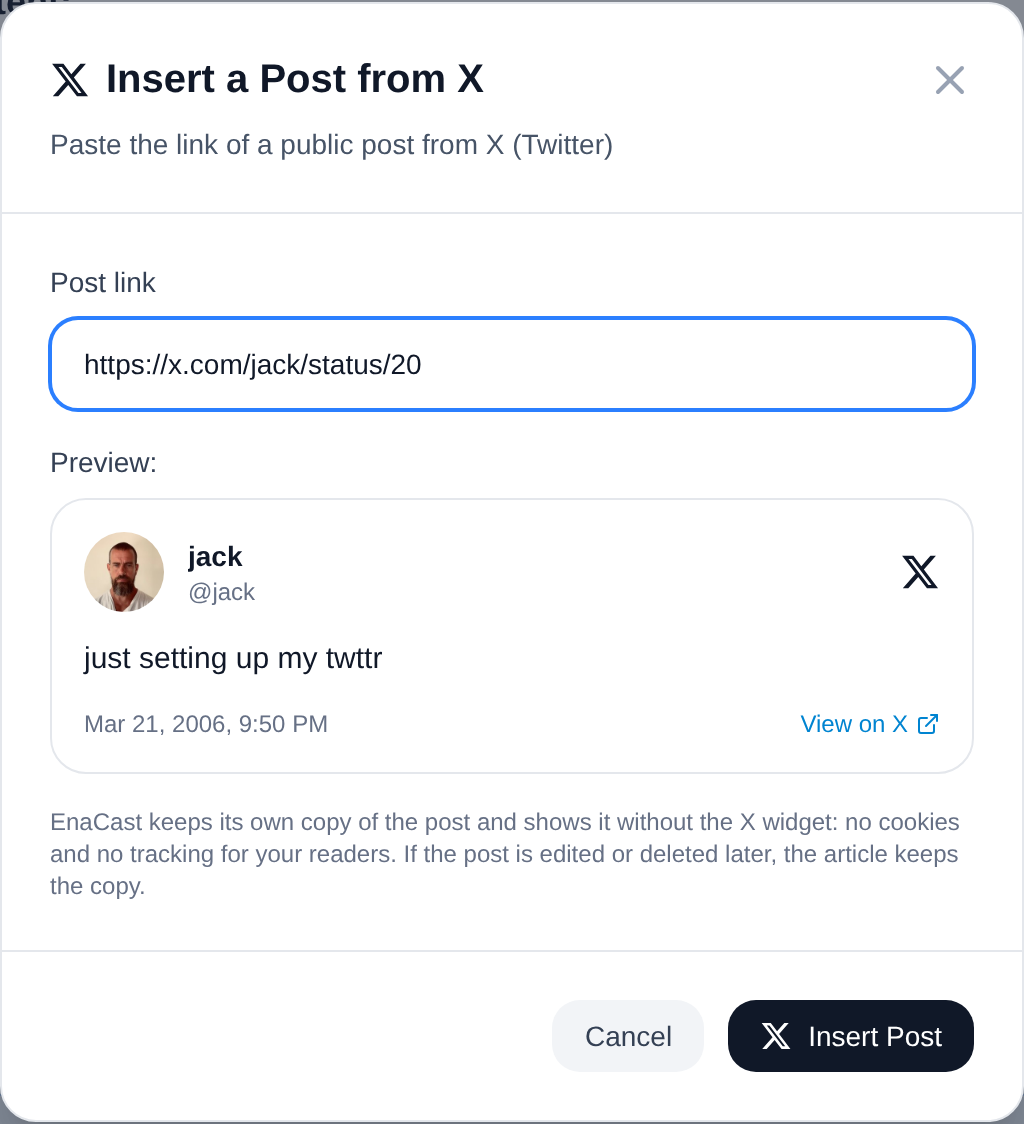
For example:
https://x.com/enacast/status/1700000000000000001What Your Readers See
Section titled “What Your Readers See”- The author’s profile picture, name and username.
- The text with its links: mentions, hashtags and full addresses (instead of the shortened
t.colinks). - Up to four photos, the quoted post if there is one, the date and the View on X link.
- If the post shares a link (a news article, for instance), the link preview X shows: picture, site, title and description.
- Videos and GIFs are shown as their image with a play button that leads to X: they do not play inside your website.
- Very long posts arrive cut: the beginning is shown with an ellipsis and the link.
Privacy: No X Widget, No Cookies
Section titled “Privacy: No X Widget, No Cookies”The official X widget is third-party content that sets cookies and tracks every visitor. That is why EnaCast does not use it: it reads the post once from our servers, keeps the text, the author and the images, and shows them from your own website. Your readers’ browser never contacts X; the only thing that points to X is the View on X link, which does nothing until someone clicks it. Your website keeps working without a cookie banner.
When a Post Cannot Be Shown
Section titled “When a Post Cannot Be Shown”If the post does not exist, was deleted, belongs to a protected account, or X only shows it to signed-in users (restricted content or a suspended account), the dialog explains it and does not let you insert it. On the public website, a post without a copy is shown as a plain link to X.
If the Post Is Edited or Deleted Later
Section titled “If the Post Is Edited or Deleted Later”The article keeps the copy as it was when you inserted it. If you need us to remove the copy of a post, write to support@enacast.com with the link: we delete it together with its images, and the articles then show only the link.
The Code Left in the Article
Section titled “The Code Left in the Article”The article body keeps a code like this one, with the number found at the end of the post’s link:
[tweet id=1700000000000000001]You can also type it by hand: when the article is saved, EnaCast fetches the post. If you have just typed it, the card may take a few seconds to appear on the public website.
Limits
Section titled “Limits”- Up to 20 posts per article.
- Up to 100 new posts per day per station. Posts that were already inserted before do not count.
See also
Section titled “See also”Station for personalized links: